
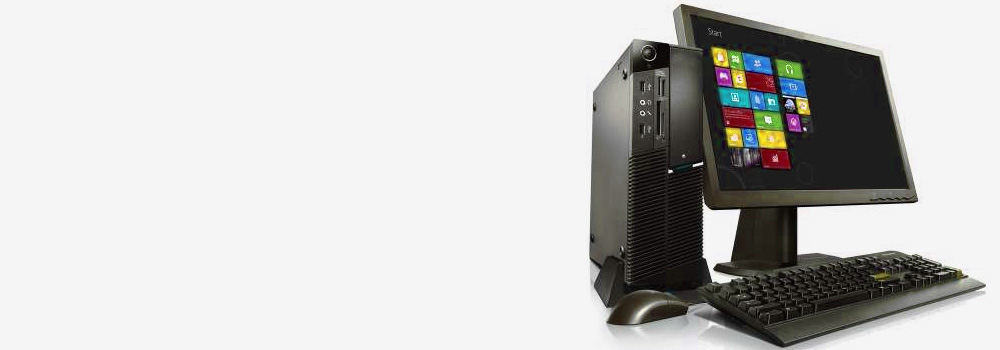






Desktop Computer Hard Drive Data Recovery — Liverpool’s No.1 Specialists (25+ Years)
Liverpool Data Recovery provides engineer-led recovery for desktop PCs and workstations—from consumer towers to high-end CAD/AI rigs and small office servers. We work across HDDs, SATA/NVMe SSDs, hybrid setups, and external DAS/NAS volumes, on Windows, macOS, and Linux. Our workflow is image-first (never write to your original device) using PC-3000, DeepSpar, and Atola plus in-house tooling.
Interfaces & Form Factors We Support
-
Rotational & SATA SSD: SATA I/II/III (2.5″/3.5″), eSATA, mSATA, micro-SATA
-
Legacy: PATA/IDE (3.5″/2.5″ ZIF/LIF), Parallel SCSI (Ultra160/Ultra320)
-
Enterprise in desktops/workstations: SAS 3/6/12 Gb/s, U.2/U.3 (SFF-8639), Fibre Channel via bridge
-
NVMe/PCIe: M.2 (2230/2242/2260/2280/22110, B/M/M-key), U.2/U.3, PCIe AIC (HHHL)
-
External/bridges used with desktops: USB-SATA/NVMe (BOT/UASP), Thunderbolt 2/3/4 enclosures
-
Array/virtual contexts: JBOD, software/hardware RAID, iSCSI LUNs, local hypervisor datastores
25 Storage Brands We Commonly See in UK Desktop Recoveries (with representative models)
(Representative of what arrives in our lab; not a sales ranking.)
Seagate (BarraCuda ST2000DM008, IronWolf/Pro, SkyHawk) • Western Digital (WD) (Blue/Black/Red/Red Pro, Ultrastar DC, My Book) • Toshiba (P300/X300/N300, MG-series) • Samsung (870/860 EVO, 980/990 PRO) • HGST (Ultrastar 7K/He) • Crucial (MX500, BX500, P3/P5/P5 Plus) • SanDisk (Ultra/Extreme SATA & portable) • Kingston (A400, KC600, NV2, KC3000) • ADATA/XPG (SU800, SX8200 Pro) • Corsair (MP510/MP600) • PNY (CS900, CS2140/3140) • Sabrent (Rocket / 4 / 4 Plus / 5) • TeamGroup (GX2, MP34/Cardea) • Transcend (SSD230S, MTE220S) • SK hynix (Gold S31/P31) • Intel (legacy) (660p/670p, S3520/S3710) • LaCie (d2/2big/5big enclosures) • G-Drive (desktop USB-C/TB) • OWC (Mercury series) • Patriot (Burst, Viper) • Lexar (NS100, NM710/800) • Mushkin (Source, Pilot-E) • Verbatim (Vi7000/Vx500) • Silicon Power (A55, UD90) • Apacer (AS340/AS350).
Professional Recovery Process
-
Diagnostics & Stabilisation — Record SMART/DST, NVMe logs, controller IDs; isolate power faults; no in-place repairs on originals.
-
Electronics/Firmware Repair — ROM/NVRAM transfer, donor PCB, service-area (SA) module repair, translator rebuilds.
-
Mechanical Interventions (HDD only) — Head-stack replacement, spindle/motor swap, platter alignment; then head-mapped imaging.
-
Forensic Imaging — Hardware-assisted cloning (PC-3000/DeepSpar/Atola) with head maps, reverse passes, adaptive timeouts, error maps preserved.
-
Logical/Data Recovery — Rebuild GPT/MBR; repair NTFS, exFAT, APFS, HFS+, EXT, XFS, Btrfs, ReFS; targeted carving for gaps.
-
Verification & Delivery — Hash manifests, sample-open priority files/DBs/VMs, secure hand-off.
50 Desktop Faults We Recover — and How We Fix Them
A. Mechanical HDD (1–10)
-
Head crash / clicking → Donor HSA swap + ROM/adaptives; per-head imaging with soft-ECC and conservative seek profile.
-
Stiction (heads stuck) → Controlled release to ramp; immediate low-duty cloning to avoid re-adhesion.
-
Spindle seizure / motor failure → Platter/hub transplant to matched chassis; alignment check; full image.
-
Off-track seeks / servo drift → Calibrate adaptives; mask weak heads; image stable heads first.
-
Media scoring/particulate → Short-window reads around scars; accept partials; prioritise critical LBAs.
-
Ramp damage after shock → Mechanical remediation, HSA swap; staged imaging outer→inner cylinders.
-
Bent top cover / altered flying height → Lid swap, shim; verify flying height; image.
-
Vibration artefacts → Isolate drive, reduce queue depth; linear passes only.
-
Thermal asperities → Temperature-controlled sessions; cool-off intervals; map unstable tracks.
-
HPA/DCO truncation → Normalise in clone; restore full LBA range before FS work.
B. Electronics & Firmware (HDD) (11–20)
-
PCB failure / TVS short → Replace TVS/fuse or donor PCB + ROM; verify rails & preamp bias; image.
-
Burnt motor driver → Donor PCB/driver; short spin windows; clone.
-
ROM/adaptives mismatch (DIY PCB swap) → Move ROM/NVRAM; relearn adaptives; exit BSY states.
-
SA module corruption → Patch DIR/DEFECT/TRANSLATOR; rebuild translator; unlock user area.
-
Translator loss (no LBA access) → Regenerate from P-/G-lists; test read; clone.
-
SMART/G-list storm → Freeze reallocation; reverse imaging; minimise head thrash.
-
Firmware bug (busy lock) → Vendor terminal fixes; clear logs; stage clone.
-
USB bridge encryption (WD/SanDisk) → Retain original bridge/keys or capture on-the-fly decryption during imaging.
-
Power rail instability → Replace LDO/buck; ripple check; then clone.
-
Connector/ESD damage → Replace ESD arrays; rebuild traces; stable clone path.
C. Media & Read Path (21–25)
-
Bad sector clusters → Multi-pass forward/reverse; targeted retries over file extents.
-
Weak servo wedges → Lower RPM (if supported); reduced seek amplitude.
-
Magnetic decay (archives) → Long settle; majority-vote across reads.
-
Zone boundary errors (SMR) → Long sequential imaging; post-process zone mapping.
-
Cache/NCQ timeouts → Force QD=1; disable look-ahead; stabilise reads.
D. SSD/NVMe Specific (26–35)
-
Controller no-enumerate → Vendor/test mode; else chip-off (if removable NAND): ECC/XOR/FTL rebuild.
-
FTL/translator corruption → Parse metadata; rebuild L2P; export coherent LBA image.
-
High BER / NAND wear → LDPC/BCH soft decode; read-retry voltage curves; temperature tuning; majority vote.
-
Power-loss during GC → Reconstruct mapping journal; prefer last consistent generations.
-
Trim/UNMAP data loss → Recover only untrimmed extents, journals, shadow copies.
-
SED/OPAL encryption → Image then unlock with keys; plaintext clone; repair inner FS.
-
NVMe namespace faults → Rebuild namespace tables; vendor path to raw export.
-
Thermal throttling resets → Heatsink/duty-cycle; low QD reads.
-
Bridge instability (USB-NVMe) → Bypass to native PCIe/U.2; clone raw.
-
ePCIe/AIC failures → Down-train link; increase timeouts; staged imaging.
E. Logical / Filesystem (36–44)
-
Partition table loss (MBR/GPT) → Signature scan; rebuild with original offsets; mount RO.
-
NTFS $MFT/$MFTMirr corruption → Rebuild from mirror and $LogFile; recover orphans.
-
ReFS damage → Salvage from intact allocation/metadata; export valid streams.
-
EXT4/XFS/Btrfs journal issues → Use backup superblocks;
fsck/xfs_repair/Btrfs tools on clone only. -
APFS/HFS+ on external desktop volumes → APFS checkpoint selection; HFS+ B-tree rebuild; extract.
-
RAW prompt / “needs to format” → Treat as metadata loss; restore boot sectors; virtual mount.
-
Accidental deletion → Metadata-first; minimal carving to preserve names/timestamps.
-
Quick/Full format → Restore from secondary headers; deep scan anchors; carve selective gaps.
-
Corrupt archives/databases → Rebuild ZIP central dir, OOXML indexes, SQLite pages; verify with checksums.
F. System-Level / RAID / Virtualisation (45–48)
-
Drive not recognised in BIOS/UEFI → Fix SA/ROM; once enumerable, image via native bus.
-
Failed RAID rebuild (desktop RAID cards/Intel RST) → Clone all members; virtual reassembly; parity reconcile; mount volume.
-
VM disks (VMDK/VHDX) damaged → Treat as raw; repair container map; mount guest FS; export.
-
iSCSI/iSATA external DAS volumes → Reattach clones; recover inner FS/LUNs.
G. Power / Environment / Malware (49–50)
-
Surge/brownout → Replace TVS/regulators; clone; fix partial writes in FS.
-
Malware/ransomware on desktop → Clean imaging; snapshot/version restore; decrypt with keys where feasible; preserve evidence.
Why Choose Liverpool Data Recovery
-
25+ years; thousands of successful desktop, workstation & small-server recoveries
-
Multi-vendor expertise (consumer → enterprise; HDD, SATA/NVMe SSD)
-
Advanced tooling & donor inventory to maximise yield
-
Free diagnostics with clear options before work begins
Ready to start? Tell us the model, symptoms, and your highest-priority data. Package the drive in an anti-static bag inside a small padded box or envelope and post or drop off. We’ll stabilise, image, and recover with full technical reporting.