






Liverpool Data Recovery — External Hard Drive Specialists
Liverpool’s No.1 external disk recovery lab • 25+ years of engineering-led recoveries
We recover data from any external hard drive or portable SSD, in any condition—drops, liquid ingress, “clicking”, not recognised, encryption prompts, corrupted filesystems, failed firmware, or damaged USB/Thunderbolt bridges. Our workflow is forensically safe (image-first, never write to your original) using PC-3000, DeepSpar, Atola and in-house tooling for bridge encryption, ECC, and translator repair.
Free diagnostics. Expedited options available.
External drive interfaces & buses we handle
-
USB mass storage: USB 2.0/3.0/3.1/3.2 BOT & UASP
-
USB-to-SATA bridges: ASMedia, JMicron, Realtek, Initio, VIA, Cypress, Genesys, WD/SanDisk custom
-
USB-to-NVMe bridges: JMS583/RTL9210/ASM2362, etc.
-
Thunderbolt 2/3/4 enclosures (NVMe & SATA)
-
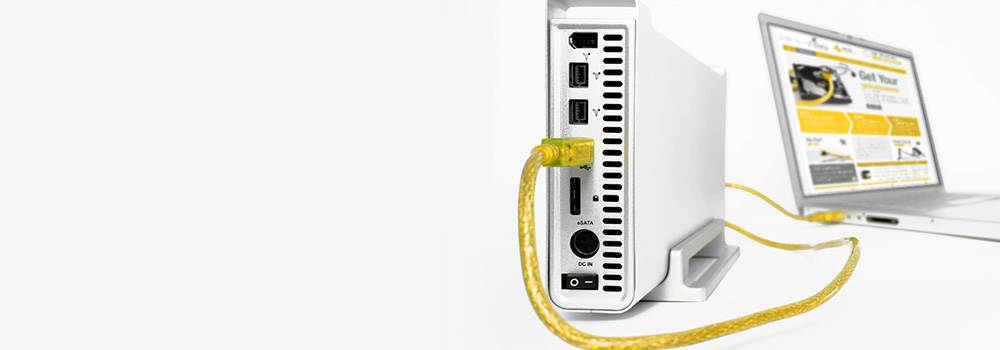
Legacy: FireWire 400/800, eSATA, Thunderbolt-to-FireWire adapters (imaged via write-blockers)
-
Underlying media: 2.5″/3.5″ SATA HDD/SSD, M.2 NVMe drives, occasional PATA/IDE in older cases
Many externals use hardware encryption in the bridge (notably some WD/SanDisk & Seagate models). We preserve/retain the original bridge to decrypt during imaging.
20 external storage brands we commonly see in UK recoveries
(Representative of lab intake; not a sales ranking. “Models” are typical lines we see most.)
-
Western Digital (WD) — My Passport, Elements, My Book, My Passport Ultra
-
Seagate — Expansion, Backup Plus, One Touch, Ultra Touch, BarraCuda Fast SSD
-
Samsung — T5/T7/T7 Shield/T9 (portable SSD), X5 (TB3 NVMe)
-
Toshiba — Canvio Basics/Advance/Premium/Flex, Canvio Ready
-
SanDisk (WD) — Extreme Portable/Extreme Pro SSD, Ultra portable
-
Crucial (Micron) — X6/X8 portable SSD
-
LaCie (Seagate) — Rugged, d2, Mobile Drive
-
G-Technology / G-Drive (WD) — G-DRIVE USB-C, G-DRIVE ArmorATD, G-RAID
-
ADATA — HD650/HD830 rugged HDD, SE800/SE920 SSD
-
Transcend — StoreJet HDD/SSD (25M3/25H3, 600)
-
Kingston — XS2000 portable SSD, DataTraveler Max (NVMe UFD)
-
Sabrent — Rocket Nano, EC-NVME enclosures + NVMe
-
PNY — Elite/Pro Elite portable SSD, USB-C SSDs
-
Integral — Portable SSD, Memory Portable HDD
-
Verbatim — Store ‘n’ Go HDD/SSD
-
OWC — Envoy/Envoy Pro (TB3/USB-C NVMe), Mercury Elite Pro
-
Silicon Power — Armor A60/A85 HDD, Bolt B75 SSD
-
TeamGroup — PD1000/PD20 portable SSD
-
Lexar — SL200/SL660 portable SSD
-
Angelbird — AV PRO portable (pro/video; TB/USB-C)
Our professional recovery process (external drives)
-
Stabilise & identify — Record bridge/chipset, encryption flags, drive IDs, SMART/NVMe logs. No writes to the original.
-
Bridge-aware access — If the bridge is stable, image via it (to preserve any on-the-fly encryption). If not, bypass to native SATA/NVMe while maintaining decryption path when required.
-
Electronics & firmware — ROM/NVRAM transfers, donor PCB, service-area module repairs (HDD), translator rebuilds.
-
Mechanical work (HDD) — Head-stack replacement, spindle/motor swap, platter alignment. Then head-mapped, zoned imaging with adaptive timeouts and reverse passes.
-
SSD/NVMe pipeline — Vendor/test modes or chip-off (if removable NAND) → ECC/XOR/FTL reconstruction → logical image.
-
Logical & filesystem rebuild — Repair NTFS, exFAT, APFS, HFS+, EXT/XFS/Btrfs/ReFS, and structure-aware recovery for media/DB containers.
-
Verification & delivery — Hash manifests, sample-open priority files, secure hand-off.
Packaging for intake: Place the external drive in an anti-static bag, then a small padded box or envelope with your contact details and priority folders. Post or drop off in person—both accepted.
50 external-drive faults we recover — and how we fix them
A) Enclosure / bridge / cabling (1–10)
-
Broken USB-A/USB-C connector → Microsolder replacement; reconstruct torn D+/D−/VBUS pads; re-enumerate; image.
-
Bridge controller failure (ASM/JMS/RTL) → If encryption present, retain the original bridge; otherwise bypass to native SATA/NVMe for imaging.
-
Bridge auto-encryption (WD/SanDisk) → Capture plaintext by imaging through the original board; if board dead, transplant identical bridge with the same crypto revision/keys.
-
UASP instability / random disconnects → Force BOT mode / USB 2.0 reader; queue depth 1; stable imaging.
-
Power-hungry 3.5″ external (under-supply) → Bench PSU; verify 12 V/5 V rails; image.
-
FireWire legacy cases → Use write-blocked FW bridge or migrate the bare drive to SATA for imaging.
-
Thunderbolt NVMe resets → Down-train link; duty-cycle reads; consider native NVMe host.
-
Cable EMI/ESD damage → Replace ESD arrays on bridge; re-test enumeration.
-
Shucked external (3.3 V pin issue) → Insulate 3.3 V pin or provide proper power; image natively.
-
Power button / sleep firmware quirks → Disable spindown; continuous imaging with keep-alive.
B) HDD mechanical (11–20)
-
Clicking (head crash) → Donor HSA swap; ROM/adaptives copy; per-head imaging; conservative seeks.
-
Heads stuck to platter (stiction) → Controlled release to ramp; low-duty image to prevent re-adhesion.
-
Spindle seizure/bearing lock → Platter/hub transplant to donor chassis; alignment; full image.
-
Ramp damage after drop → Mechanical remediation; HSA replacement; staged imaging outer→inner cylinders.
-
Media scoring/particulates → Short-window reads; map bad cylinders; prioritise critical LBAs.
-
Deformed top cover / fly-height change → Lid swap + shim calibration; verify fly height; image.
-
SA (service area) corruption → Patch modules/DIR; rebuild translator; restore LBA access; image.
-
G-list explosion / SMART hang → Disable reallocation during clone; reverse pass; head-select strategy.
-
HPA/DCO capacity lock → Normalise capacity on the clone; then filesystem work.
-
Thermal asperities / heat-related resets → Temperature-controlled sessions; cool-down intervals; error map persistence.
C) HDD electronics & firmware (21–28)
-
PCB blown TVS or motor driver → Replace TVS/fuse or donor PCB; move ROM/NVRAM; verify preamp bias; image.
-
BSY/firmware busy state → Vendor terminal fixes; clear logs; staged imaging.
-
Translator loss (no LBA access) → Regenerate from P-/G-lists; test reads; clone.
-
USB-native HDD (no SATA pads) → Use vendor access to extract SA; if not possible, bridge-through imaging with resets managed.
-
Cache/NCQ timeouts (SMR drives) → Sequential imaging; disable look-ahead; low queue depth.
-
Power-surge damage → Replace regulators/TVS; inspect preamp; image; repair partial-write FS.
-
Firmware overlay corruption → Rebuild overlays; lock adaptive parameters; image.
-
Encrypted platters (rare OEM) → Require proper key path; otherwise plaintext unavailable.
D) SSD/NVMe specific (29–36)
-
Controller no-enumerate → Vendor/test mode; else chip-off (if removable NAND); ECC/XOR/FTL rebuild to logical image.
-
FTL (translator) corruption → Parse metadata; reconstruct L2P map; mount image.
-
High BER / worn NAND → LDPC/BCH soft-decode, read-retry voltage curves, temp tuning, majority vote.
-
Power-loss during GC/journal → Rebuild mapping journals; prefer last consistent generations.
-
Trim/UNMAP side-effects → Recover only untrimmed extents, journals, and shadow copies; trimmed data is irrecoverable.
-
Bridge stores encryption keys → Retain original bridge; decrypt stream during imaging.
-
Thermal throttling resets → Heatsink + duty-cycle; reduce QD; stable cloning.
-
Namespace/firmware bugs (NVMe) → Rebuild namespaces; vendor raw export path; then FS repair.
E) Filesystem / logical / user actions (37–45)
-
“You need to format the disk” → Treat as metadata loss; restore boot sectors/VBR; virtual mount of the clone.
-
Accidental deletion → Metadata-first (exFAT bitmap/NTFS $MFT/APFS snapshots); minimal carving to keep names/timestamps.
-
Quick format → Restore from secondary headers and directory anchors; carve gaps selectively.
-
Full format / zero-fill → Carve remaining non-overwritten space; manage expectations.
-
Partition table overwritten (MBR/GPT) → Signature scan; rebuild original offsets; mount RO.
-
Corrupt exFAT bitmap/upcase → Recreate allocation from directory chains; regenerate upcase table.
-
NTFS $MFT/$LogFile damage → Rebuild from $MFTMirr + journal; recover orphans.
-
APFS container corruption → Select healthy checkpoint by TXID; rebuild spacemaps/B-trees; extract volumes.
-
HFS+ catalog/extent damage → Rebuild trees; salvage forks; carve strays.
F) Content-specific & media containers (46–48)
-
Broken MP4/MOV (no
moov) → Synthesize header/index from track fragments; playable output. -
RAW/JPEG corruption → Patch SOI/EXIF, rebuild Huffman/DQT tables from exemplars; recover previews/partials.
-
Databases/mail stores (SQLite/PST/OST) → Page-level salvage; index rebuild; integrity checks.
G) Security / malware / environment (49–50)
-
Ransomware on external → Image; restore from snapshots/versioning; decrypt with valid keys; preserve evidence.
-
Liquid ingress / corrosion → DI rinse (board only), IPA displacement, dry; repair rails/ESD; if unstable → native bypass or chip-off (SSD).
Why choose Liverpool Data Recovery
-
25+ years specialising in external HDD/SSD failures (consumer, professional, and rugged lines)
-
Bridge-aware methods for hardware encryption and vendor quirks
-
Advanced mechanical, firmware, and flash capabilities to maximise recovery yield
-
Free diagnostics and clear recovery options before any work proceeds
Ready to start? Tell us the brand/model, symptoms, and your highest-priority folders/files.
Package the device in an anti-static bag inside a small padded box or envelope and post or drop it off. We’ll stabilise, image, and recover—safely and fast.